

In a perfect world, our electrical power current would be perfectly even, never dipping or spiking. Unfortunately, we don’t live in that world and our power current is almost constantly dipping, surging or spiking. This has the potential to wreak havoc on our tech. That’s why we need surge protectors. Read on for six things you should know about surge protection and your tech gear.
1. What Causes Electrical Surges
Like I mentioned in the introduction, our power current is constantly dipping and spiking. There are a number of causes for this. Lightning Strikes can cause electrical spikes, but usually, if the strike hits close enough to affect your system, it will be too strong for a surge protector to stop. More often we see dirty power from a poorly set up power grid. This is often manifested with light flickers or dimming. Sometimes, the way our house is wired can cause power dips and surges within our home when an appliance starts up that uses a lot of electricity. Maybe, you’ve noticed lights dim a bit when the AC kicks on? That causes a dip across the rest of the house.
2. Who Should Use A Surge Protector
Everyone! With dips and surges in the electrical current so common, anyone with electronic equipment – stereos, computers, laptops, TVs, Blu-ray, etc – should own and use surge protectors. A surge protector is cheaper than the equipment it can protect so there really is no reason not to use them. Your desk lamp or small fan might not warrant one, but your expensive computer or TV certainly does.
3. A Power Strip Isn’t Always a Surge Protector
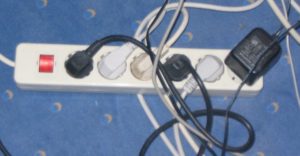
Since most surge protectors take the shape of a power bar or power strip with 5 or more power outlets available we might make the mistake of assuming all power bars are also surge protectors, but this isn’t true. A simple power bar offers no additional protection to your devices over plugging them directly into the wall outlet. Be sure to look for indications that you’re using an actual surge protector, like special indicator lights and joule rating (we’ll talk about these more later). Also, remember that not all surge protectors take the shape of a power strip. Some offer a single outlet, offering a small, portable solution great for travel with a laptop.
4. What Makes a Good Surge Protector
When shopping for a surge protector, you’ll want to look at a few things. First and foremost, in my opinion, is the Joule rating. I’m going to keep this really simple and just say that the higher the joule rating the better. Get one with at least a 600-joule rating, and more is better.
Next, you want to make sure that the surge protector is going to be a good form factor. Is it going behind your desk or entertainment stand? You might want it to consider a bar style with more outlets and look at how they are spaced so that you don’t find out once you get it home that your 3 devices with large power bricks block off the rest of the plugs and leave your other 4 devices with nowhere to plug in. Using it for your laptop? A small single plug surge protector might be best so that you can take it with you easily – most hotels don’t offer an easy to access surge protector in your room!
Finally, I recommend choosing a surge protector that includes an indicator light to let you know when it’s time to replace it. Each time a surge protector is hit with a power surge some of it’s joules are used up, eventually depleting them and being left with no protection. If there is no indication of this we continue using the surge protector and assuming we are protected.
5. Power Surges Can Come Across Any Cable
The phone line, coaxial cable or Ethernet Cord plugged into your computer or TV? They can carry power surges as well and could damage your device. Some Surge Protectors include protection for additional cords so you might want to look into those options.
6. Connected Device Warranty
Many surge protectors will advertise a Connected Device Warranty on the package, saying that they will cover the cost of devices connected if a surge destroys them. I wouldn’t put too much trust in these. I have heard a lot about how hard it is collect on them so if you choose a Surge Protector based on its connected device warranty, I would do some research into how to collect on it. You may need to register shortly after you purchase it and if you don’t the company won’t look at your case. Just make sure you do your research.
A surge protector is inexpensive, and it can save your PC or other devices from failure. Y-Not Tech Services recommends using one on all your equipment.
Do you have a computer you think might have been damaged by a power surge? Why not let Y-Not Tech Services have a look at it. We may be able to replace one part and get it running again, or save your documents and photos from being lost forever.
