
Book an Appointment

Y-Not Tech Services Logo
  • Home
  • Computer Repair
  • Services
    • Lethbridge Laptop Repair
    • Computer Cleaning & Tune-Up in Lethbridge | Y-Not Tech Services
    • Virus & Malware Removal – Lethbridge
    • Done-For-You Busienss IT Services
    • Business Continuity and Disaster Recovery
    • Home Security Suite
    • Password Protector
    • All Services
  • Reviews
  • Blog
    • Browse All
    • Best Antivirus
    • What Happens When You Interrupt a Windows Update? | Y-Not Tech Services – Lethbridge, AB Computer Help
    • Do You Know Exactly What is Being Backed Up on Your Computer? – Y-Not Tech Services | Lethbridge, AB IT Business
    • 6 Reasons to Replace Your ISP Email | Y-Not Tech Services – Lethbridge, AB Computer Help
    • 6 Uses for Your Old, Extra Computers | Y-Not Tech Services – Lethbridge, AB Computer Help
    • A Friend of Mine Was the Victim of Bank Fraud in Lethbridge, AB
    • Avoid Duplicating Passwords | Y-Not Tech Services – Lethbridge, AB Computer Repair
  • Contact

Cyber Security Awareness Month 2020: ALERT: Your Antivirus May Be Letting You Down | Y-Not Tech Services – Lethbridge, AB Computer Help

October 19, 2020 by Tony Whitney

Cyber Security Awareness Month 2020: ALERT: Your Antivirus May Be Letting You Down | Y-Not Tech Services - Lethbridge, AB Computer Help

ALERT: Your Antivirus May Be Letting You Down

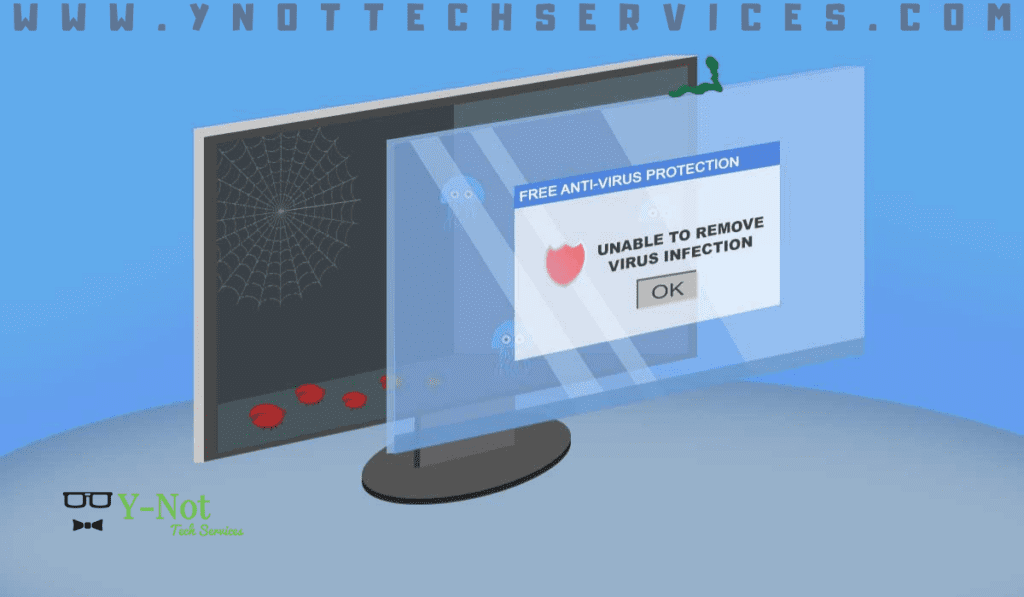
The best way to avoid a computer virus is by using common sense, but that doesn’t mean you’ll be safe from attack. Even the most careful user can find themselves infected in an instant and spreading the virus faster than a sneeze in flu season. It’s why antivirus software is still the first package we install on all systems – because you never know when you’ll be attacked. But should you choose free or paid antivirus?

Advertising: Much like a free app making its fortune with in-app purchases, the free antivirus software will push for payment. Expect popup boxes pestering you to sign up to the paid version at least daily. Some free options will also try to change your browser home page and default search engine, an inconvenience you may be stuck with. Paid options are more respectful and largely invisible unless they’ve detected a problem.

Effectiveness: It’s fair to expect your antivirus to detect malware, and testing showed that in a head-to-head battle free and paid are about equal at catching known infections. And therein lies the kicker: generally speaking, free antivirus needs to have recorded a virus to its library before it can detect it. Paid antivirus is more likely to identify and stop a new virus. It essentially bases the detection on suspicious behavior, source and attributes, a far more effective method of detection.

Features: Free antivirus options are usually created from the paid version, taking out everything except the bare minimum. In your paid version, you can expect advanced features like spam filters, firewalls, parental controls and secure web browsing. Some paid antivirus will also update your other software packages, forming a more secure protection against attacks. For example, you might view a malicious image file that takes advantage of an exploit in your PDF software. Unfortunately, hackers have advanced beyond simple tactics and it’s not just about avoiding email attachments anymore.

Support: Free antivirus options are the most popular choice because they’re… free. Obviously. This also means there’s generally no support available. If there’s a problem or conflict with another program, you may find yourself without protection until it can be resolved. Paid antivirus options usually include telephone support, ready to help with problems ranging from installation to system diagnostics.

Ease of use: Depending on what you use your computer for, this may be an important concern. Free antivirus options are easy to install and use, but are very limited in their flexibility. They come as-is, meaning you can’t pick and choose what it monitors or how it reacts. For example, users occasionally find it necessary to disable ALL protections in order to install a network game. Paid versions are more likely to allow you to adapt the way it runs, switching features on and off as required.

Free antivirus is fine for very basic protection, those on a budget or those with an older PC. In these cases, something is always better than nothing. But we generally recommend you go with a paid antivirus to defend you from the new attacks that are released daily, and to ensure you’ve got solid protection that will make a real difference to your digital safety.

Talk to us about upgrading to a paid antivirus. Book an appointment today:

Book an Appointment


Filed Under: Cyber Security Month October 2020, Lesson Tagged With: antivirus, becybersmart, Computer help, computer help lethbridge, computer repair, computer repair Lethbridge, cyber security, cyber security awareness, malware, ncsam, virus, Y-Not, y-not tech, ynot, ynot tech

Share:

Services

  • Computer Optimization & Maintenance in Lethbridge
  • Scam & Fraud Cleanup in Lethbridge
  • Email Help & Account Fixes in Lethbridge
  • Printer Setup & Troubleshooting in Lethbridge
  • Wi-Fi & Internet Troubleshooting in Lethbridge (Home & Remote Support)
  • Onsite Computer Repair Lethbridge – In-Home Tech Support
  • Web Design and Hosting
  • Upgrade to Solid State Drive
  • Laptop Screen Repair Lethbridge – Fast, Affordable Fixes
  • Virus Removal and Tuneup

Testimonials

  • Prompt and Professional service on my compromised computer. Owner is very personable and I am delighted with the end result. Read More
    Kel H
  • Tony did a great job on setting up my wife's new computer after we had spent $150.00 for a so called professional to set it up. The so called professional stated that the computer was all set to plug and go....Far from it. Thanks Tony for helping us out with with this frustrating matter. You... Read More
    Dennis v
  • Tony is honest and responsive Read More
    Leah B
  • Y-Not Tech services has helped us with all our Tech needs that we've needed so far, and responds very quickly. Appreciate the fact that problems are explained to us, and properly fixed. Read More
    Buffalohead Vet
    Taber
  • Tony has always been very professional . He has helped in many ways to make our computer experience excellent. His response is very timely and explains the computer lingo in a way that all can understand. Thank you Tony Read More
    Jacalyn W
    South Lethbridge
  • A+ services. Friendly and informative. Wouldn't go anywhere else. Read More
    Tyrell C
  • Tony is super helpful. I'm confident that my computers are protected! Read More
    CE
  • Very satisfied with the service I received! Read More
    RC
  • It is an absolute pleasure to work with Tony at Y-Not Tech Services. He is always helpful and knowledgeable and reliable. We are so thankful to have His expertise and care. Read More
    Bernice N
    West Lethbridge
  • Great personality and quick to respond. Very happy with the service I have received from Tony. He is very knowledgeable and it is great knowing he will work on site or do remote connection to fix problems. As someone who works from home it really reduces the stress level when I am having a problem... Read More
    Cam M
    North Lethbridge
Y-Not Tech Services
Serving Lethbridge, Alberta and surrounding areas
Phone: 403-915-8574
Email: tony@ynottechservices.com
Hours
Monday–Friday: 9:00 AM – 5:00 PM (by appointment only)
Saturday–Sunday: Closed

FOLLOW US

Book an Appointment with us!

Book an Appointment

Services

Computer Repair   •   Laptop Repair   •   Tune-Up   •   Virus Removal

Copyright © 2025 · Y-Not Tech Services · 534 17 st S, Lethbridge, Alberta (AB) T1J 3C3