Book an Appointment

Y-Not Tech Services Logo
  • Home
  • Computer Repair
  • Services
    • Lethbridge Laptop Repair
    • Computer Cleaning & Tune-Up in Lethbridge | Y-Not Tech Services
    • Virus & Malware Removal – Lethbridge
    • Done-For-You Busienss IT Services
    • Business Continuity and Disaster Recovery
    • Home Security Suite
    • Password Protector
    • All Services
  • Reviews
  • Blog
    • Browse All
    • Best Antivirus
    • What Happens When You Interrupt a Windows Update? | Y-Not Tech Services – Lethbridge, AB Computer Help
    • Do You Know Exactly What is Being Backed Up on Your Computer? – Y-Not Tech Services | Lethbridge, AB IT Business
    • 6 Reasons to Replace Your ISP Email | Y-Not Tech Services – Lethbridge, AB Computer Help
    • 6 Uses for Your Old, Extra Computers | Y-Not Tech Services – Lethbridge, AB Computer Help
    • A Friend of Mine Was the Victim of Bank Fraud in Lethbridge, AB
    • Avoid Duplicating Passwords | Y-Not Tech Services – Lethbridge, AB Computer Repair
  • Contact

Why Your Computer Is Slowing Down (Lethbridge Home User Guide)

December 1, 2025 by Tony Whitney

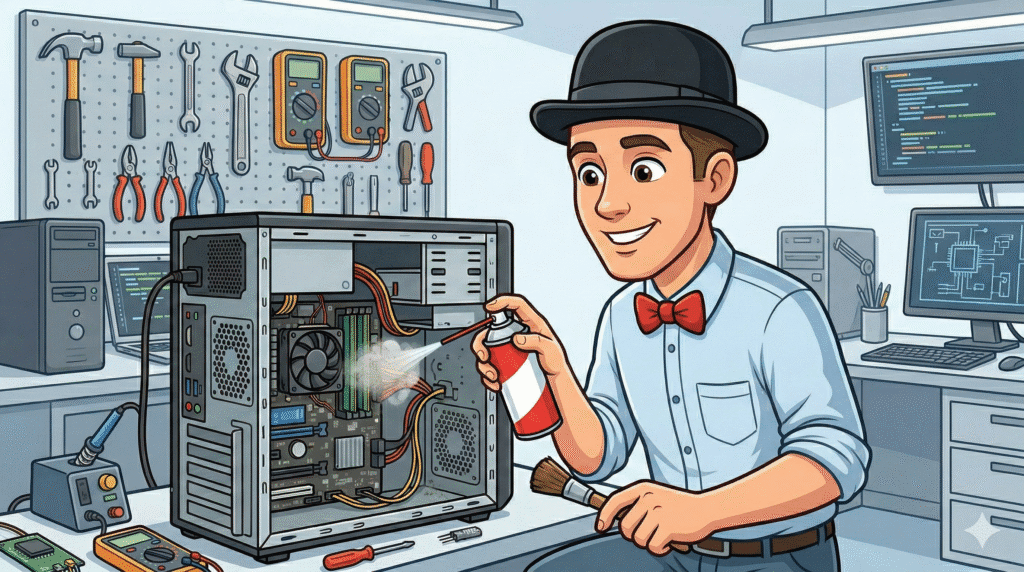
Tony Whitney of Y-Not Tech Services points out a hidden virus that is slowing down a computer in Lethbridge

Is your computer taking forever to start, freezing at the worst possible time, or struggling to keep up with simple tasks like email and web browsing?
If you live in Lethbridge and your computer feels slower than it used to, you’re not alone. A slow computer is one of the most common reasons people contact me at Y-Not Tech Services.

In this guide, I’ll walk through the most common reasons your computer might be slowing down, what you can try on your own, and when it’s time to call in a local technician.
If you’d like direct help, you can also visit my Lethbridge Computer Repair page for more information.

Book an appointment with Y-Not Tech Services


Reason #1: Too Many Programs Starting with Windows

Over time, many programs quietly add themselves to your “startup” list so they launch every time your computer turns on. Each one uses a little bit of memory and processing power.
Eventually, your computer spends more time loading background apps than getting ready for you to use.

Common signs of too many startup programs include:

  • Very slow startup (you turn it on and wait… and wait…)
  • Desktop icons appear, but the computer isn’t “ready” for several minutes
  • Programs feel sluggish right after starting the computer

Part of a proper tune-up is reviewing what launches with Windows and turning off anything you don’t actually need. If your computer has never had this done, a Computer Cleaning & Tune-Up in Lethbridge can make a big difference.


Reason #2: Old or Failing Hard Drive

If your computer is more than a few years old, there’s a good chance it has an older spinning hard drive (HDD) instead of a modern solid state drive (SSD). Spinning hard drives slow down over time and are more likely to fail.

Signs your hard drive might be the problem:

  • Computer takes a very long time to start up
  • Programs hang or “Not Responding” appears often
  • You hear clicking or grinding sounds from the computer
  • Sometimes it works fine, other times it’s painfully slow

If your hard drive is failing, it’s important to act before it stops working altogether. Upgrading to an SSD can dramatically improve speed and extend the life of your computer.
I offer SSD upgrade services that include moving your data and programs for you. You can read more about that on my
Upgrade to Solid State Drive (SSD) service page.

Book an appointment with Y-Not Tech Services


Reason #3: Dust, Overheating, and Poor Airflow

Inside your computer or laptop are fans and vents designed to keep things cool. When dust builds up, the system can’t breathe properly. The computer heats up, and modern processors will slow themselves down to avoid damage. That slowdown shows up as a sluggish machine for you.

Common overheating clues:

  • The computer or laptop feels very hot to the touch
  • The fan is loud most of the time
  • The computer shuts down or restarts unexpectedly
  • Performance gets worse the longer it’s on

A professional cleaning and tune-up can clear dust, check fans, and make sure the system can cool itself properly again. If you’re in Lethbridge, I offer
Computer Cleaning & Tune-Up services to help your computer run cooler and faster.


Reason #4: Malware, Scam Pop-Ups, and Unwanted Programs

Not every slow computer has a virus, but malware and unwanted software are very common reasons for poor performance. Fake “Microsoft” pop-ups, browser hijacks, and scam tools can run in the background, using up resources and making everything feel slower and less safe.

Things to watch for:

  • Pop-ups claiming your computer is infected and telling you to call a number
  • Your home page or search engine changed without your permission
  • New icons, toolbars, or programs you don’t recognize
  • Constant “cleaner” or “optimizer” programs nagging you to pay money

Trying random “cleaner” tools can sometimes make things worse. If you suspect an infection or have been hit by a scam pop-up, it’s safer to have a professional look at it. I offer Virus & Malware Removal in Lethbridge, including checking that your computer is safe for banking and email again.

Book an appointment with Y-Not Tech Services


Reason #5: Your Computer Is Just Getting Old

Even with upgrades and tune-ups, there comes a point where a computer is simply too old to keep up with modern software. This doesn’t mean you did anything wrong—it’s just the normal lifespan of technology.

Signs your computer might be at (or near) end-of-life:

  • It’s more than 7–8 years old
  • It can’t update to the latest version of Windows
  • Basic tasks like web browsing, email, or video calls are always a struggle
  • Repairs are starting to cost more than the computer is worth

If you’re not sure whether it’s worth fixing or replacing, I can help you make that decision in plain language—no pressure. You can start with my Lethbridge Computer Repair or Lethbridge Laptop Repair pages to see what options are available.


What You Can Try at Home

There are a few safe things you can try before calling in help:

  • Restart your computer (a full restart, not just sleep)
  • Close programs you’re not using, especially web browsers with many tabs
  • Uninstall programs you know you no longer need
  • Make sure Windows Updates have been installed

If you’re comfortable, you can also look at your startup programs and turn off anything unnecessary—but if that feels overwhelming, that’s exactly the kind of thing I handle during a Computer Cleaning & Tune-Up.

Book an appointment with Y-Not Tech Services


When It’s Time to Call a Local Technician

It’s a good idea to get professional help if:

  • The computer is getting slower over time, not just some days
  • You see scam pop-ups or think you might have clicked on something suspicious
  • There are strange noises (clicking or grinding)
  • You’re worried about losing family photos, documents, or important files
  • You’d rather have someone else deal with it so you can stop fighting your computer

As a local Lethbridge technician, I offer both onsite and remote support options. You can see an overview of what I do on my Lethbridge Computer Repair page or, for laptops specifically, my Lethbridge Laptop Repair page.


How Y-Not Tech Services Can Help

I work with seniors, families, and home users across Lethbridge to keep their computers running smoothly and safely. Depending on what’s slowing things down, I can:

  • Perform a full Computer Cleaning & Tune-Up
  • Remove viruses, malware, and scam software with my Virus & Malware Removal service
  • Upgrade your system to a faster SSD (SSD Upgrade Service)
  • Fix hardware problems or help you plan a replacement computer if it’s time

All services are by appointment only, since I’m often helping clients onsite. You can see my hours on the Hours of Operation page, or go straight to booking.

Book an appointment with Y-Not Tech Services


Ready to Stop Fighting a Slow Computer?

If your computer is slowing you down, you don’t have to put up with it. Whether it needs a tune-up, a cleanup, an upgrade, or just a bit of attention, I’m here to help.

You can:

  • Visit my Lethbridge Computer Repair page
  • Check out Computer Cleaning & Tune-Up options
  • Learn about Virus & Malware Removal if you suspect a scam or infection
  • Use the online booking page to schedule an appointment

If you’re not sure where to start, you can always call or text 403-915-8574 or send a message through my Contact page. I’ll help you figure out the next best step for your situation.

Book an appointment with Y-Not Tech Services

Filed Under: Lesson, Services Tagged With: computer cleaning, computer performance issues, computer repair Lethbridge, computer running slow, computer troubleshooting, computer tune up, home computer help lethbridge, laptop repair Lethbridge, Lethbridge tech support, scam pop up removal, slow computer fix, upgrade to ssd, virus removal Lethbridge, why is my computer slow

Share:

Computer Repair Lethbridge AB | Local Laptop & PC Repair | Y-Not Tech

November 27, 2025 by Tony Whitney

Tony Whitney providing local computer support in Lethbridge ABWhen your computer starts acting up, everything slows down—your work, your daily tasks, even your peace of mind. Whether it’s a slow laptop, a mysterious error message, or a computer that refuses to turn on, one thing’s certain: you need help you can trust. Searching for ‘computer repair near me’ in Lethbridge? We’re locally owned and just a phone call away.

If you’re looking for computer repair in Lethbridge, AB, you’re in the right place. At Y-Not Tech Services, we help Lethbridge residents fix problems fast, prevent them from coming back, and feel confident using their devices again. [Read more…]

Filed Under: Uncategorized Tagged With: Coaldale computer repair, computer diagnostics, computer repair Lethbridge, computer support Lethbridge, computer technician Lethbridge, data recovery Lethbridge, IT services Lethbridge, laptop repair Lethbridge, laptop screen repair, local computer repair, malware removal, mobile computer repair, PC repair Lethbridge AB, slow computer fix, virus removal Lethbridge

Share:

Y-Not Tech vs Talk Nerdy to Me: Which Lethbridge Computer Service is Right for You?

September 29, 2025 by Tony Whitney


Y-Not Tech vs Talk Nerdy to Me computer services comparison in Lethbridge featuring Tony Whitney

When your computer starts acting up in Lethbridge, you want to know you’re choosing the right service for your specific needs. As someone who’s been helping Lethbridge residents with their technology challenges for over 10 years, I understand that not every computer service is the same. Today, I want to give you an honest comparison between Y-Not Tech Services and Talk Nerdy to Me – because the right choice depends entirely on what you need. [Read more…]

Filed Under: Services Tagged With: Alberta computer repair, computer monitoring, computer repair Lethbridge, computer service comparison, cybersecurity seniors, gaming computer vs senior computer support, gaming vs security, Gold Plus protection, Lethbridge computer services, lethbridge IT support, on site computer repair, scam prevention, senior tech support, Tony Whitney, Y-Not Tech vs Talk Nerdy to Me

Share:

What to Do After a Computer Scam: 10-Minute Recovery Guide (2025) | Y-Not Tech Services – Computer Support in Lethbridge, AB

August 18, 2025 by Tony Whitney

URGENT: What to Do in the First 10 Minutes After a Computer Scam

If you’re reading this because you just realized you’ve fallen victim to a computer scam, take a deep breath. I know your heart is racing and you’re probably feeling embarrassed, scared, or angry – maybe all three. But here’s the truth: you’re not alone, and there are immediate steps you can take right now to protect yourself.
In my 10+ years helping folks in Lethbridge and across Alberta recover from these situations, I’ve seen hundreds of people bounce back from computer scams. The key is acting fast and following the right steps. Let’s get you protected.

[Read more…]

Filed Under: Uncategorized Tagged With: bank fraud alert, block scammer phone calls, can scammers access computer after hanging up, change passwords after scam, computer cleanup service, computer repair Lethbridge, computer running slow after scam, computer scam help, computer scam prevention, computer scam recovery, computer scam warning signs, computer security Alberta, computer security Lethbridge, fake Microsoft popup, fell for computer scam, file police report computer scam, Gold Plus security plan, how do I know if I've been scammed, how to clean computer after scam, how to know if you've been scammed, IT support Alberta, Lethbridge computer services, malware removal after scam, managed antivirus, remote computer monitoring, remove remote access software, remove scammer software, scam help Lethbridge, scam prevention service, scam victim recovery, security audit, signs of computer scam, TeamViewer scam removal, tech support Lethbridge, tech support scam recovery, what to do after computer scam, what to do if scammer calls back, will bank refund scam money, y-not tech services

Share:

The Sweet Spot of Buying a Laptop: Avoiding the Too-Cheap and the Overpriced | Y-Not Tech Services – Lethbridge, AB Computer Repair and Support

June 23, 2025 by Tony Whitney

The Sweet Spot of Buying a Laptop: Avoiding the Too-Cheap and the Overpriced

The Sweet Spot of Buying a Laptop: Avoiding the Too-Cheap and the Overpriced | Y-Not Tech Services - Lethbridge, AB Computer Repair and Support

In the Market for a New Laptop? There’s a Sweet Spot

If you’re looking to buy a new laptop, you’ve probably noticed that prices range from a few hundred dollars to several thousand. So how much should you spend? There’s a balance between getting a good deal and buying something that will last. Spend too little, and you’ll end up frustrated with a slow, flimsy laptop that won’t hold up. Spend too much, and you might be paying for power and features you’ll never use.

Let’s look at the sweet spot where price and quality meet, helping you get the best value for your money. [Read more…]

Filed Under: Lesson Tagged With: Computer help, computer help lethbridge, computer repair, computer repair Lethbridge, LaptopBuying, SmartShopping, techtips, Y-Not, y-not tech, ynot, ynot tech

Share:

How to Spot Fake Download Buttons and Stay Safe | Y-Not Tech Services – Lethbridge, AB Computer Help

January 21, 2025 by Tony Whitney

How to Spot Fake Download Buttons and Stay Safe | Y-Not Tech Services - Lethbridge, AB Computer HelpHow to Spot Fake Download Buttons and Stay Safe

Downloading software from the internet might seem simple, but it can sometimes feel like navigating a minefield. Many websites, even seemingly legitimate ones, feature fake download buttons designed to trick you into downloading malware or other unwanted programs. Let’s explore how to recognize these deceptive buttons and keep your computer safe. [Read more…]

Filed Under: Lesson Tagged With: adblocker, Computer help, computer help lethbridge, computer repair, computer repair Lethbridge, fakebuttons, Y-Not, y-not tech, ynot, ynot tech

Share:

The Problem With “Forgotten” IT Devices | Y-Not Tech Services – Lethbridge, AB IT Support

January 14, 2025 by Tony Whitney

The Problem With "Forgotten" IT Devices | Y-Not Tech Services - Lethbridge, AB IT Support

The Problem With “Forgotten” IT Devices

Every business has those IT devices tucked away in storage rooms, old drawers, or even still sitting on your network unnoticed. Forgotten devices may seem harmless, but they can pose significant risks to your business’s security. Let’s take a closer look at why these “forgotten” devices are more of a ticking time bomb than a harmless relic of the past. [Read more…]

Filed Under: Business IT Tagged With: Computer help, computer help lethbridge, computer repair, computer repair Lethbridge, cybersecurity, ITAudit, OutdatedDevices, Y-Not, y-not tech, ynot, ynot tech

Share:

Why Does Your Computer Smell Weird? | Y-Not Tech Services – Lethbridge, AB Computer Help

January 8, 2025 by Tony Whitney

Why Does Your Computer Smell Weird? | Y-Not Tech Services - Lethbridge, AB Computer Help

Why Does Your Computer Smell Weird?

Most people don’t expect their computers to have a distinct smell, but sometimes they do. A weird smell coming from your computer is often more than just an annoyance; it can give you valuable clues about potential problems lurking inside. Let’s dive into what these smells mean and why you should pay attention to them. [Read more…]

Filed Under: Lesson Tagged With: Computer help, computer help lethbridge, computer repair, computer repair Lethbridge, computertips, PCMaintenance, TechSafety, Y-Not, y-not tech, ynot, ynot tech

Share:

Why Safeguarding Your Backups Is Just as Important as Backing Up Your Data | Y-Not Tech Services – Lethbridge, AB IT Support

January 1, 2025 by Tony Whitney

Why Safeguarding Your Backups Is Just as Important as Backing Up Your Data | Y-Not Tech Services - Lethbridge, AB IT Support

Why Safeguarding Your Backups Is Just as Important as Backing Up Your Data

Every business owner knows the importance of backing up their data. You’ve likely heard horror stories about companies losing everything due to unexpected disasters, malicious attacks, or human error. But here’s the thing many people don’t think about: backups themselves need protection.

Whatever jeopardizes your primary data – malware, theft, or natural disasters – can also take out your backup. [Read more…]

Filed Under: Business IT Tagged With: backup, Computer help, computer help lethbridge, computer repair, computer repair Lethbridge, databackup, dataprotection, Y-Not, y-not tech, ynot, ynot tech

Share:

How Scammers Use Your Friends to Steal Your Facebook Account | Y-Not Tech Services – Lethbridge, AB Tech Help

December 10, 2024 by Tony Whitney

How Scammers Use Your Friends to Steal Your Facebook Account | Y-Not Tech Services - Lethbridge, AB Tech Help

How Scammers Use Your Friends to Steal Your Facebook Account

Imagine you receive a message from a friend asking for a little help. They say they are trying to get back into their Facebook account, and they need a special login code that Facebook will send to a trusted friend.

It sounds simple, right? You want to help your friend out, but here’s the catch: the code they are asking for is actually the key to your account, not theirs. Let’s dive into how this scam works and how you can protect yourself. [Read more…]

Filed Under: Lesson Tagged With: Computer help, computer help lethbridge, computer repair, computer repair Lethbridge, FacebookScam, onlinesafety, StaySafe, Y-Not, y-not tech, ynot, ynot tech

Share:

  • 1
  • 2
  • 3
  • …
  • 29
  • Next Page »

Services

  • Computer Optimization & Maintenance in Lethbridge
  • Scam & Fraud Cleanup in Lethbridge
  • Email Help & Account Fixes in Lethbridge
  • Printer Setup & Troubleshooting in Lethbridge
  • Wi-Fi & Internet Troubleshooting in Lethbridge (Home & Remote Support)
  • Onsite Computer Repair Lethbridge – In-Home Tech Support
  • Web Design and Hosting
  • Upgrade to Solid State Drive
  • Laptop Screen Repair Lethbridge – Fast, Affordable Fixes
  • Virus Removal and Tuneup

Testimonials

  • Prompt and Professional service on my compromised computer. Owner is very personable and I am delighted with the end result. Read More
    Kel H
  • Tony did a great job on setting up my wife's new computer after we had spent $150.00 for a so called professional to set it up. The so called professional stated that the computer was all set to plug and go....Far from it. Thanks Tony for helping us out with with this frustrating matter. You... Read More
    Dennis v
  • Tony is honest and responsive Read More
    Leah B
  • Y-Not Tech services has helped us with all our Tech needs that we've needed so far, and responds very quickly. Appreciate the fact that problems are explained to us, and properly fixed. Read More
    Buffalohead Vet
    Taber
  • Tony has always been very professional . He has helped in many ways to make our computer experience excellent. His response is very timely and explains the computer lingo in a way that all can understand. Thank you Tony Read More
    Jacalyn W
    South Lethbridge
  • A+ services. Friendly and informative. Wouldn't go anywhere else. Read More
    Tyrell C
  • Tony is super helpful. I'm confident that my computers are protected! Read More
    CE
  • Very satisfied with the service I received! Read More
    RC
  • It is an absolute pleasure to work with Tony at Y-Not Tech Services. He is always helpful and knowledgeable and reliable. We are so thankful to have His expertise and care. Read More
    Bernice N
    West Lethbridge
  • Great personality and quick to respond. Very happy with the service I have received from Tony. He is very knowledgeable and it is great knowing he will work on site or do remote connection to fix problems. As someone who works from home it really reduces the stress level when I am having a problem... Read More
    Cam M
    North Lethbridge
Y-Not Tech Services
Serving Lethbridge, Alberta and surrounding areas
Phone: 403-915-8574
Email: tony@ynottechservices.com
Hours
Monday–Friday: 9:00 AM – 5:00 PM (by appointment only)
Saturday–Sunday: Closed

FOLLOW US

Book an Appointment with us!

Book an Appointment

Services

Computer Repair   •   Laptop Repair   •   Tune-Up   •   Virus Removal

Copyright © 2025 · Y-Not Tech Services · 534 17 st S, Lethbridge, Alberta (AB) T1J 3C3