
Book an Appointment

Y-Not Tech Services Logo
  • Home
  • Computer Repair
  • Services
    • Lethbridge Laptop Repair
    • Computer Cleaning & Tune-Up in Lethbridge | Y-Not Tech Services
    • Virus & Malware Removal – Lethbridge
    • Done-For-You Busienss IT Services
    • Business Continuity and Disaster Recovery
    • Home Security Suite
    • Password Protector
    • All Services
  • Reviews
  • Blog
    • Browse All
    • Best Antivirus
    • What Happens When You Interrupt a Windows Update? | Y-Not Tech Services – Lethbridge, AB Computer Help
    • Do You Know Exactly What is Being Backed Up on Your Computer? – Y-Not Tech Services | Lethbridge, AB IT Business
    • 6 Reasons to Replace Your ISP Email | Y-Not Tech Services – Lethbridge, AB Computer Help
    • 6 Uses for Your Old, Extra Computers | Y-Not Tech Services – Lethbridge, AB Computer Help
    • A Friend of Mine Was the Victim of Bank Fraud in Lethbridge, AB
    • Avoid Duplicating Passwords | Y-Not Tech Services – Lethbridge, AB Computer Repair
  • Contact

How to Prevent Password Spraying Attacks | Y-Not Tech Services – Lethbridge, AB IT Support

May 3, 2022 by Tony Whitney

How to Prevent Password Spraying Attacks | Y-Not Tech Services - Lethbridge, AB IT Support

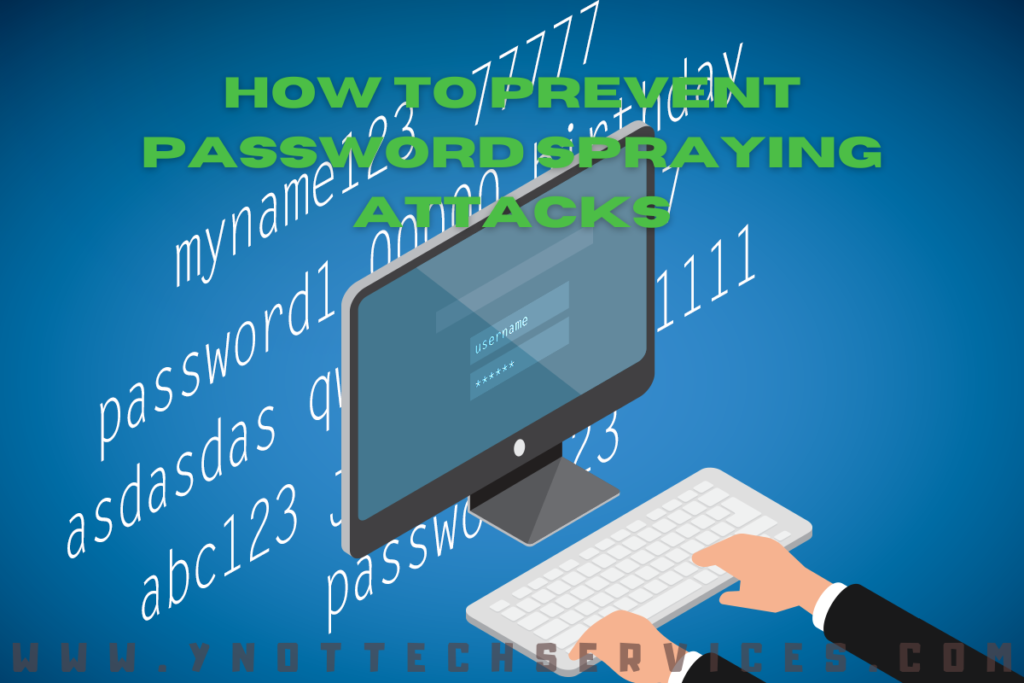
How to Prevent Password Spraying Attacks

Bad cyber actors are what the kids these days would call “try hards.” They do everything they can think of to get into your accounts. One tactic is password spraying. In case you don’t know about it, this article gives the basics and shares strategies to prevent this type of attack.

You’re probably familiar with hackers trying many different password combinations with the username. Web security services know about this form of attack, too. That’s why you can get locked out of your site for trying the wrong password too many times.

This brings us to password spraying. The cyber criminals have found a way to get around the-three-tries-and-you’re-out-of-luck defense. Instead of one user and many passwords, they use one password with many different usernames.

Think how easy this could be. Your company database is online for people to contact your employees. The bad actor takes john@yourcompany.com, jane@yourcompany.com, jamal@yourcompany.com, and so on, or they buy a list of usernames on the Dark web. Then, they try common passwords for every one of those individuals.

“Abc123,” “123456,” and – ugh – “password” are still frequently in use worldwide as passwords. So, it’s not that much of a stretch for a hacker to be able to get in with one of these common permutations.

The brute-force attack runs through a long list of users before trying the next “wrong” password. So, by the time it has finished going through the list of users with the password “abc123”, enough time has passed to avoid lockouts, and the hacker tries another password from the user list.

What to do about password spraying

The most obvious thing? Stop using any of the passwords that appear on the most commonly used worldwide lists! Do you think no one would still be using these obvious options? In 2021, there were more than 3.5 million reported uses of the “123456” password. “Password” came in second with 1.7 million reported uses. Both take less than a second to crack.

So, prefer more complicated passwords. This doesn’t have to mean that users add seven numbers, six symbols, and three capitalized letters. The National Institute of Standards and Technology (NIST) guidelines suggest length is more important. So, users can create longer yet easier-to-remember passwords.

IT administrators can also force users to change passwords at their first login to new applications. NIST further recommends checking every new password against a breached password list.

Multifactor authentication helps, as well. This requires the user to verify themselves with access credentials and extra authentication. This might be a code sent via text to a smartphone or could involve an authentication app.

It’s also a good idea to segment your networks so that users access only what they need to. Limiting user access can minimize the damage done if there is a breach.

Put password best practices in place

Keep your business secure with the help of a managed service provider. We can spearhead the installation of lockout policies and other security measures. Our experts also stay current with the latest vulnerabilities to proactively protect your organization.

 

Book an Appointment

Filed Under: Business IT Tagged With: Computer help, computer help lethbridge, computer repair, computer repair Lethbridge, cybersecurity, passwords, passwordspraying, passwordtips, Y-Not, y-not tech, ynot, ynot tech

Share:

Services

  • Computer Optimization & Maintenance in Lethbridge
  • Scam & Fraud Cleanup in Lethbridge
  • Email Help & Account Fixes in Lethbridge
  • Printer Setup & Troubleshooting in Lethbridge
  • Wi-Fi & Internet Troubleshooting in Lethbridge (Home & Remote Support)
  • Onsite Computer Repair Lethbridge – In-Home Tech Support
  • Web Design and Hosting
  • Upgrade to Solid State Drive
  • Laptop Screen Repair Lethbridge – Fast, Affordable Fixes
  • Virus Removal and Tuneup

Testimonials

  • Prompt and Professional service on my compromised computer. Owner is very personable and I am delighted with the end result. Read More
    Kel H
  • Tony did a great job on setting up my wife's new computer after we had spent $150.00 for a so called professional to set it up. The so called professional stated that the computer was all set to plug and go....Far from it. Thanks Tony for helping us out with with this frustrating matter. You... Read More
    Dennis v
  • Tony is honest and responsive Read More
    Leah B
  • Y-Not Tech services has helped us with all our Tech needs that we've needed so far, and responds very quickly. Appreciate the fact that problems are explained to us, and properly fixed. Read More
    Buffalohead Vet
    Taber
  • Tony has always been very professional . He has helped in many ways to make our computer experience excellent. His response is very timely and explains the computer lingo in a way that all can understand. Thank you Tony Read More
    Jacalyn W
    South Lethbridge
  • A+ services. Friendly and informative. Wouldn't go anywhere else. Read More
    Tyrell C
  • Tony is super helpful. I'm confident that my computers are protected! Read More
    CE
  • Very satisfied with the service I received! Read More
    RC
  • It is an absolute pleasure to work with Tony at Y-Not Tech Services. He is always helpful and knowledgeable and reliable. We are so thankful to have His expertise and care. Read More
    Bernice N
    West Lethbridge
  • Great personality and quick to respond. Very happy with the service I have received from Tony. He is very knowledgeable and it is great knowing he will work on site or do remote connection to fix problems. As someone who works from home it really reduces the stress level when I am having a problem... Read More
    Cam M
    North Lethbridge
Y-Not Tech Services
Serving Lethbridge, Alberta and surrounding areas
Phone: 403-915-8574
Email: tony@ynottechservices.com
Hours
Monday–Friday: 9:00 AM – 5:00 PM (by appointment only)
Saturday–Sunday: Closed

FOLLOW US

Book an Appointment with us!

Book an Appointment

Services

Computer Repair   •   Laptop Repair   •   Tune-Up   •   Virus Removal

Copyright © 2025 · Y-Not Tech Services · 534 17 st S, Lethbridge, Alberta (AB) T1J 3C3