
Book an Appointment

Y-Not Tech Services Logo
  • Home
  • Computer Repair
  • Services
    • Lethbridge Laptop Repair
    • Computer Cleaning & Tune-Up in Lethbridge | Y-Not Tech Services
    • Virus & Malware Removal – Lethbridge
    • Done-For-You Busienss IT Services
    • Business Continuity and Disaster Recovery
    • Home Security Suite
    • Password Protector
    • All Services
  • Reviews
  • Blog
    • Browse All
    • Best Antivirus
    • What Happens When You Interrupt a Windows Update? | Y-Not Tech Services – Lethbridge, AB Computer Help
    • Do You Know Exactly What is Being Backed Up on Your Computer? – Y-Not Tech Services | Lethbridge, AB IT Business
    • 6 Reasons to Replace Your ISP Email | Y-Not Tech Services – Lethbridge, AB Computer Help
    • 6 Uses for Your Old, Extra Computers | Y-Not Tech Services – Lethbridge, AB Computer Help
    • A Friend of Mine Was the Victim of Bank Fraud in Lethbridge, AB
    • Avoid Duplicating Passwords | Y-Not Tech Services – Lethbridge, AB Computer Repair
  • Contact

Why You Need to Uninstall Adobe Flash Player | Y-Not Tech Services – Computer Repair

February 16, 2021 by Tony Whitney

Why You Need to Uninstall Adobe Flash Player | Y-Not Tech Services - Computer Repair

Why You Need to Uninstall Adobe Flash Player

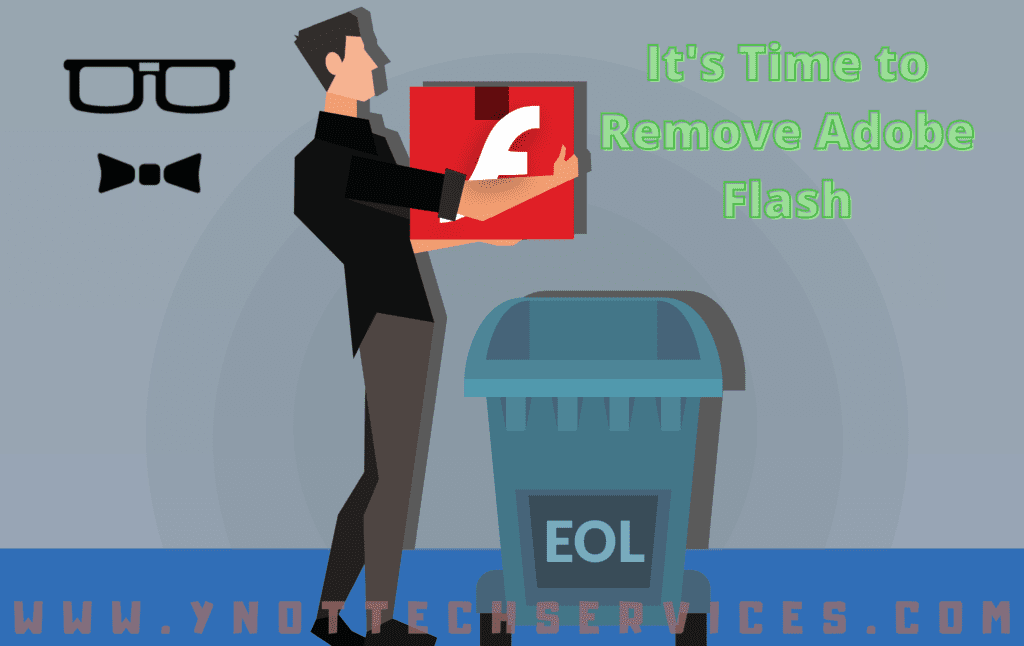
All good things must come to an end – it’s inevitable with computer software. If you’re using Adobe Flash, the day has arrived. It’s time to uninstall Adobe Flash Player.

Adobe stopped supporting Flash Player on December 31, 2020. What does this mean?

Adobe is no longer issuing Flash Player updates or security patches. The company “strongly recommends immediately uninstalling Flash Player.” The company announced the decision to bring Flash Player to end of life (EOL) in 2017.

To help secure user systems, Adobe began blocking Flash content from running in Flash Player on January 12, 2021. Major browser vendors have also disabled Flash Player from running: Safari, Firefox, Chrome, and Microsoft Edge have all stopped supporting the technology.

This renders Flash Player pretty useless. Flash was key to early Web browsing, powering interactive website elements such as animations and forms. Web developers loved it, because it saved them from offering users dull, static pages. However, open standards have matured to provide a viable alternative to Flash content. The HTML 5 standard has replaced Flash in many cases.

Adobe Flash is old, unsupported, and has unfixed security issues. It’s actively used for malware. Fake Flash Player installers have long been an effective way to deliver malware. As recently as 2020, three years after the EOL announcement, it was found that 1 in 10 Macs were infected by one prolific piece of Flash malware.

Don’t keep it on your system, and definitely don’t download versions of the Flash Player from third-party sites.

Uninstalling Adobe Flash Player

If you’re an iPhone or iPad user, you don’t need to worry. Flash was never supported on iOS devices. Otherwise, it’s worth checking if you have Adobe Flash Player installed. You may not even remember downloading it, but don’t just let it sit there.

To check if Flash Player is installed, navigate to https://helpx.adobe.com/flash-player.html. Under Install Flash Player in five steps, the first step is to check installation. Click on “Check Now.” If it tells you “Sorry, Flash Player is either not installed or not enabled,” you’re in good shape.

To uninstall from a Windows computer, you will need to download the uninstaller found here ( https://helpx.adobe.com/flash-player/kb/uninstall-flash-player-windows.html ) to your desktop. Then, exit all browser and other programs that use Flash. Run the uninstaller to delete all Flash Player files and folders. Restart your computer, open your browser, and verify uninstallation is complete.

Mac users will download the uninstaller (https://helpx.adobe.com/au/flash-player/kb/uninstall-flash-player-mac-os.html) suited to their OS Version. You can determine your version by clicking on the Apple icon and choosing About This Mac. You then run the applicable uninstaller. After restarting your computer, verify the uninstallation is complete.

Without updates or security patches, hackers could access your system using Flash Player vulnerabilities. It can be frustrating when software reaches EOL. Even so, it’s important to be proactive. Take the necesary precautions to keep your system safe.

Worried about downloading and uninstalling safely? We can help. Not sure what other legacy software you might have on your computer that is putting you at risk? We can help there, too. Book an Appointment below. We can review your computers to secure your confidential data and important info.

Book an Appointment

Filed Under: Lesson Tagged With: adobeflash, adobeflashplayer, Computer help, computer help lethbridge, computer repair, computer repair Lethbridge, cybersecurity, endoflife, eol, flash, flashplayer, techtips, Y-Not, y-not tech, ynot, ynot tech

Share:

Services

  • Computer Optimization & Maintenance in Lethbridge
  • Scam & Fraud Cleanup in Lethbridge
  • Email Help & Account Fixes in Lethbridge
  • Printer Setup & Troubleshooting in Lethbridge
  • Wi-Fi & Internet Troubleshooting in Lethbridge (Home & Remote Support)
  • Onsite Computer Repair Lethbridge – In-Home Tech Support
  • Web Design and Hosting
  • Upgrade to Solid State Drive
  • Laptop Screen Repair Lethbridge – Fast, Affordable Fixes
  • Virus Removal and Tuneup

Testimonials

  • Prompt and Professional service on my compromised computer. Owner is very personable and I am delighted with the end result. Read More
    Kel H
  • Tony did a great job on setting up my wife's new computer after we had spent $150.00 for a so called professional to set it up. The so called professional stated that the computer was all set to plug and go....Far from it. Thanks Tony for helping us out with with this frustrating matter. You... Read More
    Dennis v
  • Tony is honest and responsive Read More
    Leah B
  • Y-Not Tech services has helped us with all our Tech needs that we've needed so far, and responds very quickly. Appreciate the fact that problems are explained to us, and properly fixed. Read More
    Buffalohead Vet
    Taber
  • Tony has always been very professional . He has helped in many ways to make our computer experience excellent. His response is very timely and explains the computer lingo in a way that all can understand. Thank you Tony Read More
    Jacalyn W
    South Lethbridge
  • A+ services. Friendly and informative. Wouldn't go anywhere else. Read More
    Tyrell C
  • Tony is super helpful. I'm confident that my computers are protected! Read More
    CE
  • Very satisfied with the service I received! Read More
    RC
  • It is an absolute pleasure to work with Tony at Y-Not Tech Services. He is always helpful and knowledgeable and reliable. We are so thankful to have His expertise and care. Read More
    Bernice N
    West Lethbridge
  • Great personality and quick to respond. Very happy with the service I have received from Tony. He is very knowledgeable and it is great knowing he will work on site or do remote connection to fix problems. As someone who works from home it really reduces the stress level when I am having a problem... Read More
    Cam M
    North Lethbridge
Y-Not Tech Services
Serving Lethbridge, Alberta and surrounding areas
Phone: 403-915-8574
Email: tony@ynottechservices.com
Hours
Monday–Friday: 9:00 AM – 5:00 PM (by appointment only)
Saturday–Sunday: Closed

FOLLOW US

Book an Appointment with us!

Book an Appointment

Services

Computer Repair   •   Laptop Repair   •   Tune-Up   •   Virus Removal

Copyright © 2025 · Y-Not Tech Services · 534 17 st S, Lethbridge, Alberta (AB) T1J 3C3