
Book an Appointment

Y-Not Tech Services Logo
  • Home
  • Computer Repair
  • Services
    • Lethbridge Laptop Repair
    • Computer Cleaning & Tune-Up in Lethbridge | Y-Not Tech Services
    • Virus & Malware Removal – Lethbridge
    • Done-For-You Busienss IT Services
    • Business Continuity and Disaster Recovery
    • Home Security Suite
    • Password Protector
    • All Services
  • Reviews
  • Blog
    • Browse All
    • Best Antivirus
    • What Happens When You Interrupt a Windows Update? | Y-Not Tech Services – Lethbridge, AB Computer Help
    • Do You Know Exactly What is Being Backed Up on Your Computer? – Y-Not Tech Services | Lethbridge, AB IT Business
    • 6 Reasons to Replace Your ISP Email | Y-Not Tech Services – Lethbridge, AB Computer Help
    • 6 Uses for Your Old, Extra Computers | Y-Not Tech Services – Lethbridge, AB Computer Help
    • A Friend of Mine Was the Victim of Bank Fraud in Lethbridge, AB
    • Avoid Duplicating Passwords | Y-Not Tech Services – Lethbridge, AB Computer Repair
  • Contact

Will That Click Cost You Thousands? | Y-Not Tech Services – Lethbridge, AB Computer Repair

February 4, 2020 by Tony Whitney

Will That Click Cost You Thousands? | Y-Not Tech Services - Lethbridge, AB Computer Repair

Will That Click Cost You Thousands?

Ransomware has undeniably been the biggest security threat of 2019. No-one was safe. Hackers targeted everyone and everything, including home PCs – and they were astoundingly successful – earning themselves upwards of $846 million from US reported incidents alone. Business is booming for hackers, with thousands of attacks each day bringing in an average of $640 per target. Perhaps even more alarmingly, the financial cost of each individual attack is on the rise – the more ransomware proves to be an easy earner for them, the more they demand each time.

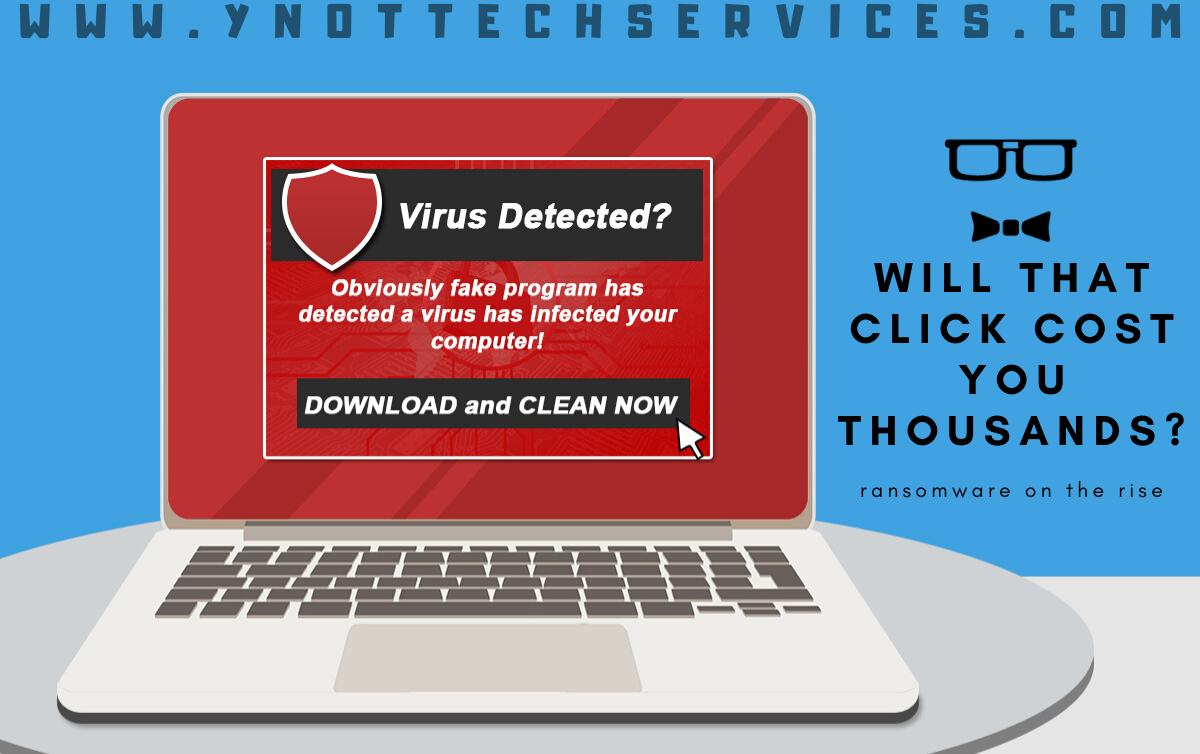
For a quick payday, some hackers offer to ‘rescue’ you from immediate danger – for a fee. One method is to trick you into thinking you have a virus that will spread if you don’t pay money to remove it immediately. Another much scarier method is to pretend to be the FBI and say your computer was involved in a crime (anything from money laundering to child pornography) and you can avoid going to prison by paying a few hundred dollars.

Thousands of regular people are also waking up every day to discover they’ve been locked out of their own files. Entire music and video libraries, digital photos from the past 5 years, personal budget files and even their secret novel draft …all held hostage until the user pays a ransom. The encryption is so strong and unbreakable that paying the ransom often becomes the only solution.

The way ransomware gets onto your computer is deviously simple. Generally, the hackers convince you to click an email attachment/link or pop-up. With both approaches, the hacker usually offers helpful information, for example:

  • Tracking an unclaimed parcel
  • Alerting that a virus was found and needs to be removed
  • Advising details of a recent traffic fine

It’s so tempting to click through for more details and that’s what the hackers count on. Their messages and pop-ups aren’t obvious threats and so slip easily under our radar. Unfortunately, they’re not the most trustworthy bunch so paying may not actually unlock your files, and one payment can quickly become several.

To make matters worse, they can encrypt any backups connected to your computer too, like a USB drive. Having a backup is super important in any situation, but in cases like this, the right backup is needed. Not only one stored separate from your network, but one created recently with all the files you can’t bear to lose. Before restoring your backup, however, you’ll need to make sure the malware isn’t lurking in the background, ready to not just re-infect your restored files but also the backup drive itself.

To avoid finding yourself up to the waist in ransom demands or sending hackers money each month, we recommend being wary of email attachments, even from friends and family. If you’re not sure what the file is, don’t click it. They may not have sent that email intentionally; their infected system may be auto-emailing everyone in the address book. You should also be careful with any popups that appear out of place, especially ones that try to make you panic. If it doesn’t sound right or look right, don’t click it. Ransomware is just too dangerous to risk.

Book an appointment to set your computer up with protections against ransomware, and put backups in place that will keep your important files safe.

Book an Appointment


Filed Under: Lesson, Services Tagged With: Computer help, computer help lethbridge, computer repair, computer repair Lethbridge, computer virus, encrypted files, infected, infection, locked files, ransom, ransom ware, ransomware, Y-Not, y-not tech, ynot, ynot tech

Share:

Services

  • Computer Optimization & Maintenance in Lethbridge
  • Scam & Fraud Cleanup in Lethbridge
  • Email Help & Account Fixes in Lethbridge
  • Printer Setup & Troubleshooting in Lethbridge
  • Wi-Fi & Internet Troubleshooting in Lethbridge (Home & Remote Support)
  • Onsite Computer Repair Lethbridge – In-Home Tech Support
  • Web Design and Hosting
  • Upgrade to Solid State Drive
  • Laptop Screen Repair Lethbridge – Fast, Affordable Fixes
  • Virus Removal and Tuneup

Testimonials

  • Prompt and Professional service on my compromised computer. Owner is very personable and I am delighted with the end result. Read More
    Kel H
  • Tony did a great job on setting up my wife's new computer after we had spent $150.00 for a so called professional to set it up. The so called professional stated that the computer was all set to plug and go....Far from it. Thanks Tony for helping us out with with this frustrating matter. You... Read More
    Dennis v
  • Tony is honest and responsive Read More
    Leah B
  • Y-Not Tech services has helped us with all our Tech needs that we've needed so far, and responds very quickly. Appreciate the fact that problems are explained to us, and properly fixed. Read More
    Buffalohead Vet
    Taber
  • Tony has always been very professional . He has helped in many ways to make our computer experience excellent. His response is very timely and explains the computer lingo in a way that all can understand. Thank you Tony Read More
    Jacalyn W
    South Lethbridge
  • A+ services. Friendly and informative. Wouldn't go anywhere else. Read More
    Tyrell C
  • Tony is super helpful. I'm confident that my computers are protected! Read More
    CE
  • Very satisfied with the service I received! Read More
    RC
  • It is an absolute pleasure to work with Tony at Y-Not Tech Services. He is always helpful and knowledgeable and reliable. We are so thankful to have His expertise and care. Read More
    Bernice N
    West Lethbridge
  • Great personality and quick to respond. Very happy with the service I have received from Tony. He is very knowledgeable and it is great knowing he will work on site or do remote connection to fix problems. As someone who works from home it really reduces the stress level when I am having a problem... Read More
    Cam M
    North Lethbridge
Y-Not Tech Services
Serving Lethbridge, Alberta and surrounding areas
Phone: 403-915-8574
Email: tony@ynottechservices.com
Hours
Monday–Friday: 9:00 AM – 5:00 PM (by appointment only)
Saturday–Sunday: Closed

FOLLOW US

Book an Appointment with us!

Book an Appointment

Services

Computer Repair   •   Laptop Repair   •   Tune-Up   •   Virus Removal

Copyright © 2025 · Y-Not Tech Services · 534 17 st S, Lethbridge, Alberta (AB) T1J 3C3