

Book an Appointment

Y-Not Tech Services Logo
  • Home
  • Computer Repair
  • Services
    • Lethbridge Laptop Repair
    • Computer Cleaning & Tune-Up in Lethbridge | Y-Not Tech Services
    • Virus & Malware Removal – Lethbridge
    • Done-For-You Busienss IT Services
    • Business Continuity and Disaster Recovery
    • Home Security Suite
    • Password Protector
    • All Services
  • Reviews
  • Blog
    • Browse All
    • Best Antivirus
    • What Happens When You Interrupt a Windows Update? | Y-Not Tech Services – Lethbridge, AB Computer Help
    • Do You Know Exactly What is Being Backed Up on Your Computer? – Y-Not Tech Services | Lethbridge, AB IT Business
    • 6 Reasons to Replace Your ISP Email | Y-Not Tech Services – Lethbridge, AB Computer Help
    • 6 Uses for Your Old, Extra Computers | Y-Not Tech Services – Lethbridge, AB Computer Help
    • A Friend of Mine Was the Victim of Bank Fraud in Lethbridge, AB
    • Avoid Duplicating Passwords | Y-Not Tech Services – Lethbridge, AB Computer Repair
  • Contact

Why Patch Management is Important | Y-Not Tech Services – Lethbridge, AB Computer Repair

April 30, 2019 by Tony Whitney

Why Patch Management is Important | Y-Not Tech Services - Lethbridge, AB Computer Repair
Once upon a time if you wanted to update a computer program you had to wait until you got the Floppy Disk with the new program on it. Then you would install the new version, and replace the old version altogether. This worked at the time, and this is how you would get new features and bug fixes for the programs you use. Things are different today.

What Is a Patch?

Before we talk about managing patches we need to address just what a patch is. A patch is really just an update to an application or operating system. But because these updates can now be done to an existing application without needing to install a whole new version they come out faster than they used to in the days of the floppy disk. These patches commonly add new features and fix bugs, but they also serve another very important duty – Security. Now that our devices are connected to the internet nearly 24/7 it is important that the applications and operating systems on our computers are secure to attacks by cybercriminals. Here are some things to keep in mind when it comes to patch management practices.

Install Patches As They Come Out

Because cybercriminals are always looking for ways to attack your system it’s important to get patches installed as the manufacturer releases them. If you wait too long you are opening yourself up to attack because as security problems get patched more cybercriminals find out about them and try to exploit the slow patchers.

Security isn’t the only reason to install patches as soon as they are available either. Outdated software can cause a lot of problems with your computer. It’s amazing how often I see a patch for one program make an unrelated program start working again. Old software will often cause compatibility problems and those are never fun. Don’t waste valuable time and money trying to track down problems that could be solved with a good patch management solution.
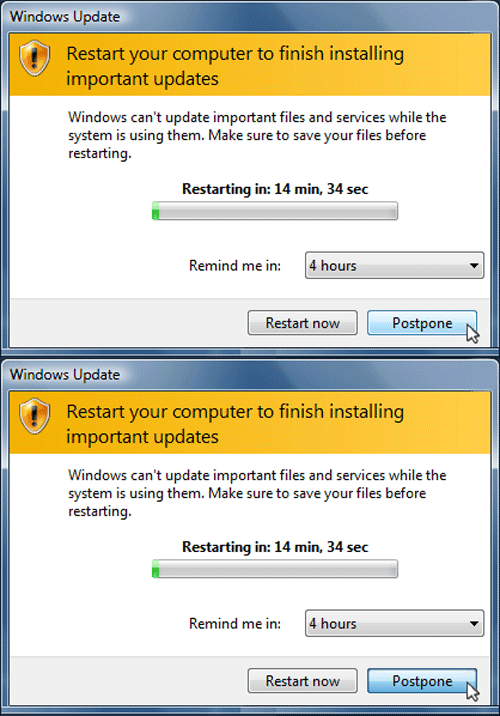
Why Patch Management is Important | Y-Not Tech Services - Lethbridge, AB Computer Repair

Patches and a New System

A lot of people assume when they get a new computer it’ll be 100% secure, updated and ready to go right out of the box, but this just isn’t the case. The fact is, no matter how cutting edge your brand new computer is it still has spent considerable time in a box. In the time between when the manufacturer loaded it up with an Operating System (like Windows 10 or Mac OSX) and some other programs and you unbox it for the first time, the world has kept moving. Cybercriminals have continued to find new ways to exploit software, the manufacturers have found ways to patch those new exploits and continued to provide new features and bug fixes as well. That’s why it’s smart to schedule some time first thing with a new computer to perform system updates. Once it says there are no more updates, reboot it and look for more updates. Then repeat that process again until there really are no more updates. Or you could have Y-Not Tech Services set up your new PC – we’ll get it all up to date for you and even transfer files from your old computer!

The Best Way to Stay Up To Date

Why Patch Management is Important | Y-Not Tech Services - Lethbridge, AB Computer Repair

Y-Not’s Gold Managed Service Plan will take care of all your patching needs

You could sit around and continually click “Check for Updates” to see if Microsoft has released a new patch for Windows, and open each of your applications and check them for updates too, but if you’re busy doing that you’ll have no time to enjoy your computer! Why not have Y-Not Tech Services take care of patching your system with our Gold Managed Service plan that includes Windows and popular Third Party Application patching.

If you would like more information about patching, or want Y-Not Tech Services to take care of patching your systems book an appointment below:

 

Book an Appointment


Filed Under: Lesson, Services Tagged With: Computer help, computer help lethbridge, computer repair, computer repair Lethbridge, cyber security, malware, patch, patch management, security, update, windows update, Y-Not, y-not tech, ynot, ynot tech

Share:

Services

  • Computer Optimization & Maintenance in Lethbridge
  • Scam & Fraud Cleanup in Lethbridge
  • Email Help & Account Fixes in Lethbridge
  • Printer Setup & Troubleshooting in Lethbridge
  • Wi-Fi & Internet Troubleshooting in Lethbridge (Home & Remote Support)
  • Onsite Computer Repair Lethbridge – In-Home Tech Support
  • Web Design and Hosting
  • Upgrade to Solid State Drive
  • Laptop Screen Repair Lethbridge – Fast, Affordable Fixes
  • Virus Removal and Tuneup

Testimonials

  • Prompt and Professional service on my compromised computer. Owner is very personable and I am delighted with the end result. Read More
    Kel H
  • Tony did a great job on setting up my wife's new computer after we had spent $150.00 for a so called professional to set it up. The so called professional stated that the computer was all set to plug and go....Far from it. Thanks Tony for helping us out with with this frustrating matter. You... Read More
    Dennis v
  • Tony is honest and responsive Read More
    Leah B
  • Y-Not Tech services has helped us with all our Tech needs that we've needed so far, and responds very quickly. Appreciate the fact that problems are explained to us, and properly fixed. Read More
    Buffalohead Vet
    Taber
  • Tony has always been very professional . He has helped in many ways to make our computer experience excellent. His response is very timely and explains the computer lingo in a way that all can understand. Thank you Tony Read More
    Jacalyn W
    South Lethbridge
  • A+ services. Friendly and informative. Wouldn't go anywhere else. Read More
    Tyrell C
  • Tony is super helpful. I'm confident that my computers are protected! Read More
    CE
  • Very satisfied with the service I received! Read More
    RC
  • It is an absolute pleasure to work with Tony at Y-Not Tech Services. He is always helpful and knowledgeable and reliable. We are so thankful to have His expertise and care. Read More
    Bernice N
    West Lethbridge
  • Great personality and quick to respond. Very happy with the service I have received from Tony. He is very knowledgeable and it is great knowing he will work on site or do remote connection to fix problems. As someone who works from home it really reduces the stress level when I am having a problem... Read More
    Cam M
    North Lethbridge
Y-Not Tech Services
Serving Lethbridge, Alberta and surrounding areas
Phone: 403-915-8574
Email: tony@ynottechservices.com
Hours
Monday–Friday: 9:00 AM – 5:00 PM (by appointment only)
Saturday–Sunday: Closed

FOLLOW US

Book an Appointment with us!

Book an Appointment

Services

Computer Repair   •   Laptop Repair   •   Tune-Up   •   Virus Removal

Copyright © 2025 · Y-Not Tech Services · 534 17 st S, Lethbridge, Alberta (AB) T1J 3C3