
Book an Appointment

Y-Not Tech Services Logo
  • Home
  • Computer Repair
  • Services
    • Lethbridge Laptop Repair
    • Computer Cleaning & Tune-Up in Lethbridge | Y-Not Tech Services
    • Virus & Malware Removal – Lethbridge
    • Done-For-You Busienss IT Services
    • Business Continuity and Disaster Recovery
    • Home Security Suite
    • Password Protector
    • All Services
  • Reviews
  • Blog
    • Browse All
    • Best Antivirus
    • What Happens When You Interrupt a Windows Update? | Y-Not Tech Services – Lethbridge, AB Computer Help
    • Do You Know Exactly What is Being Backed Up on Your Computer? – Y-Not Tech Services | Lethbridge, AB IT Business
    • 6 Reasons to Replace Your ISP Email | Y-Not Tech Services – Lethbridge, AB Computer Help
    • 6 Uses for Your Old, Extra Computers | Y-Not Tech Services – Lethbridge, AB Computer Help
    • A Friend of Mine Was the Victim of Bank Fraud in Lethbridge, AB
    • Avoid Duplicating Passwords | Y-Not Tech Services – Lethbridge, AB Computer Repair
  • Contact

Cyber Security Awareness Month 2020: Protect Your Firm Against Zero-Day Attacks | Y-Not Tech Services – Lethbridge, AB IT Support

October 15, 2020 by Tony Whitney

Cyber Security Awareness Month 2020: Protect Your Firm Against Zero-Day Attacks | Y-Not Tech Services - Lethbridge, AB IT Support

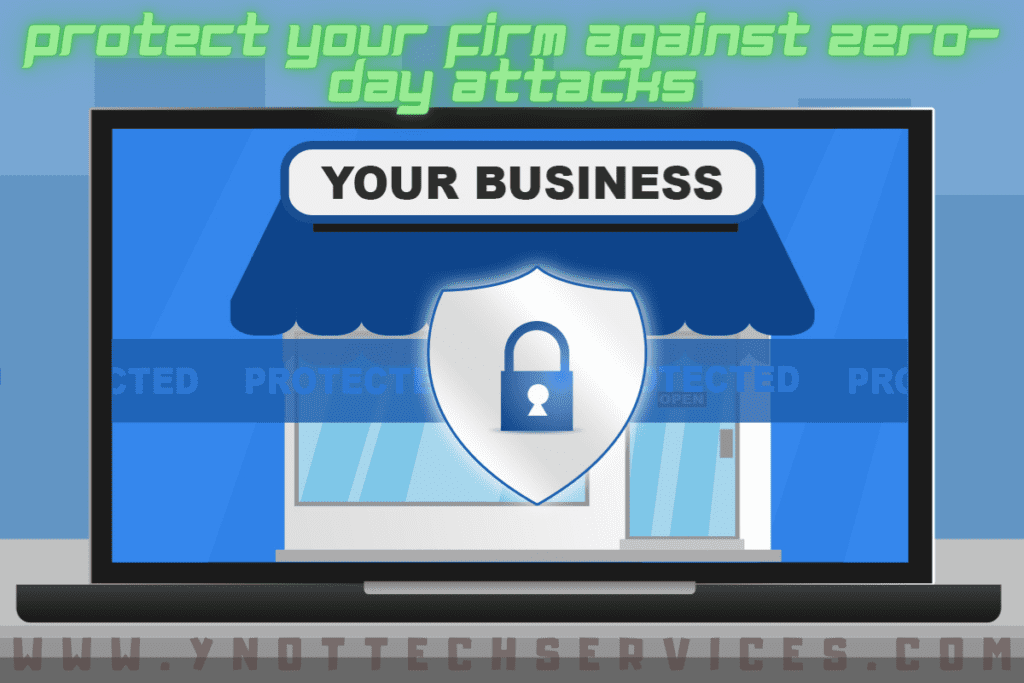
Protect Your Firm Against Zero-Day Attacks

Protecting your business against the latest IT threats should always be a top priority. Updating antivirus and patching your operating system is a great way to start. What happens, however, when a threat appears at your door before security firms have had a chance to catch it?

A security threat that exploits a previously undiscovered vulnerability in the computer is known as a zero-day threat. The name “zero-day” is designed to imply how long since the vulnerability was discovered. The term also indicates that system developers have had zero days to fix it.

A newly discovered attack might be packaged into a computer virus or worm. This will allow it to spread far and wide while inflicting the maximum amount of damage possible. When spread successfully, a new exploit has the potential to reach hundreds of thousands of computers before an operating system or anti-virus update can even be issued.

There are a number of ways we can protect your business or lessen the damage from a zero-day attack.

Preventative security

The number one way to mitigate the damage from any attack to your system is to prevent it from happening in the first place. Maintaining a good firewall and up-to-date antivirus is the best step you can take to ensure the security of your system.

A firewall, monitoring traffic in and out of your network, reduces unauthorised entry over the network. Even without knowing the exact nature of the attack, suspicious activity travelling in and out of the system can be stopped.

The same is true of modern Antivirus. Even when it can not identify the specific zero-day threat from its virus database; it can often identify malicious intent from learned behaviour in the system.

A Locked Down Network

Should a zero-day threat make it into your network, our next goal should be to limit its effects. By restricting user access to only essential files and systems we can limit the damage done to the smallest number of systems. Good security policy dictates that each account should only have full access to the systems needed to complete the user’s job. For example, users from the accounts department shouldn’t have access to sales department databases.

In this way, the damage of a single compromised account is limited to only the network area it operates in. Such limited impact should be easy to control and can be reversed with regular backups.

Good Data backup

Whether your entire network has been exploited or only a small area has been affected; good data backups are your protection against major lasting damage. Having a good backup means having the procedures in place to both create regular backup copies and make sure they can be restored at a later date.

Reliable and well-tested backups are worth their weight in gold. Knowing your data is safe and your system can be recovered is peace of mind against even the most highly destructive zero-day attacks.

Intrusion Protection

While the precise methods of a zero-day exploit can’t be known in advance, a network intrusion protection system (NIPS) can monitor the firms’ network for unusual activity.

The advantage of NIPS over a traditional antivirus only system is it does not rely on checking software against a known database of threats. This means it does not need updates or patches to learn about the latest attacks. NIPS works by monitoring the day-to-day patterns of network activity across the network.

When traffic or events far out of the ordinary are detected action can be taken to alert system administrators and lock down the firewall. Devices such as USB drives and mobile devices can all introduce threats to the network. They can often make it past the firewall because they are physically introduced to the system.

NIPS protects against threats introduced to the network from both external and internal sources.

Full Cover Protection

Used in combination these techniques can prevent, protect, and mitigate against the kinds of threats that even the top security firms haven’t patched yet. We think it’s important to keep your firm secure whatever it might come up against in the future.

If you could use help protect your business against online threats, book an appointment today:

Book an Appointment


Filed Under: Business IT, Cyber Security Month October 2020 Tagged With: becybersmart, Computer help, computer help lethbridge, computer repair, computer repair Lethbridge, cybersecurity, exploit, malware, ncsam, ransom, ransomware, Y-Not, y-not tech, ynot, ynot tech, zero-day

Share:

Services

  • Computer Optimization & Maintenance in Lethbridge
  • Scam & Fraud Cleanup in Lethbridge
  • Email Help & Account Fixes in Lethbridge
  • Printer Setup & Troubleshooting in Lethbridge
  • Wi-Fi & Internet Troubleshooting in Lethbridge (Home & Remote Support)
  • Onsite Computer Repair Lethbridge – In-Home Tech Support
  • Web Design and Hosting
  • Upgrade to Solid State Drive
  • Laptop Screen Repair Lethbridge – Fast, Affordable Fixes
  • Virus Removal and Tuneup

Testimonials

  • Prompt and Professional service on my compromised computer. Owner is very personable and I am delighted with the end result. Read More
    Kel H
  • Tony did a great job on setting up my wife's new computer after we had spent $150.00 for a so called professional to set it up. The so called professional stated that the computer was all set to plug and go....Far from it. Thanks Tony for helping us out with with this frustrating matter. You... Read More
    Dennis v
  • Tony is honest and responsive Read More
    Leah B
  • Y-Not Tech services has helped us with all our Tech needs that we've needed so far, and responds very quickly. Appreciate the fact that problems are explained to us, and properly fixed. Read More
    Buffalohead Vet
    Taber
  • Tony has always been very professional . He has helped in many ways to make our computer experience excellent. His response is very timely and explains the computer lingo in a way that all can understand. Thank you Tony Read More
    Jacalyn W
    South Lethbridge
  • A+ services. Friendly and informative. Wouldn't go anywhere else. Read More
    Tyrell C
  • Tony is super helpful. I'm confident that my computers are protected! Read More
    CE
  • Very satisfied with the service I received! Read More
    RC
  • It is an absolute pleasure to work with Tony at Y-Not Tech Services. He is always helpful and knowledgeable and reliable. We are so thankful to have His expertise and care. Read More
    Bernice N
    West Lethbridge
  • Great personality and quick to respond. Very happy with the service I have received from Tony. He is very knowledgeable and it is great knowing he will work on site or do remote connection to fix problems. As someone who works from home it really reduces the stress level when I am having a problem... Read More
    Cam M
    North Lethbridge
Y-Not Tech Services
Serving Lethbridge, Alberta and surrounding areas
Phone: 403-915-8574
Email: tony@ynottechservices.com
Hours
Monday–Friday: 9:00 AM – 5:00 PM (by appointment only)
Saturday–Sunday: Closed

FOLLOW US

Book an Appointment with us!

Book an Appointment

Services

Computer Repair   •   Laptop Repair   •   Tune-Up   •   Virus Removal

Copyright © 2025 · Y-Not Tech Services · 534 17 st S, Lethbridge, Alberta (AB) T1J 3C3