In recent months, we have seen a significant increase in sophisticated cyber threats targeting residents across Southern Alberta. While computer viruses used to be about causing digital chaos, today’s threats are almost entirely financially motivated. For computer users in Lethbridge, the rise of targeted online banking scams is a serious issue that requires vigilance and rapid response. [Read more…]

Onsite Computer Repair in Lethbridge: When It Makes Sense to Call a Technician to Your Home

Computer Repair in Lethbridge: What a Good Local Technician Should Offer (and What to Avoid)

The tricky part is knowing what you actually need, what a competent technician should be able to handle,
and what separates real repair work from “we’ll try a few things and hope.” [Read more…]
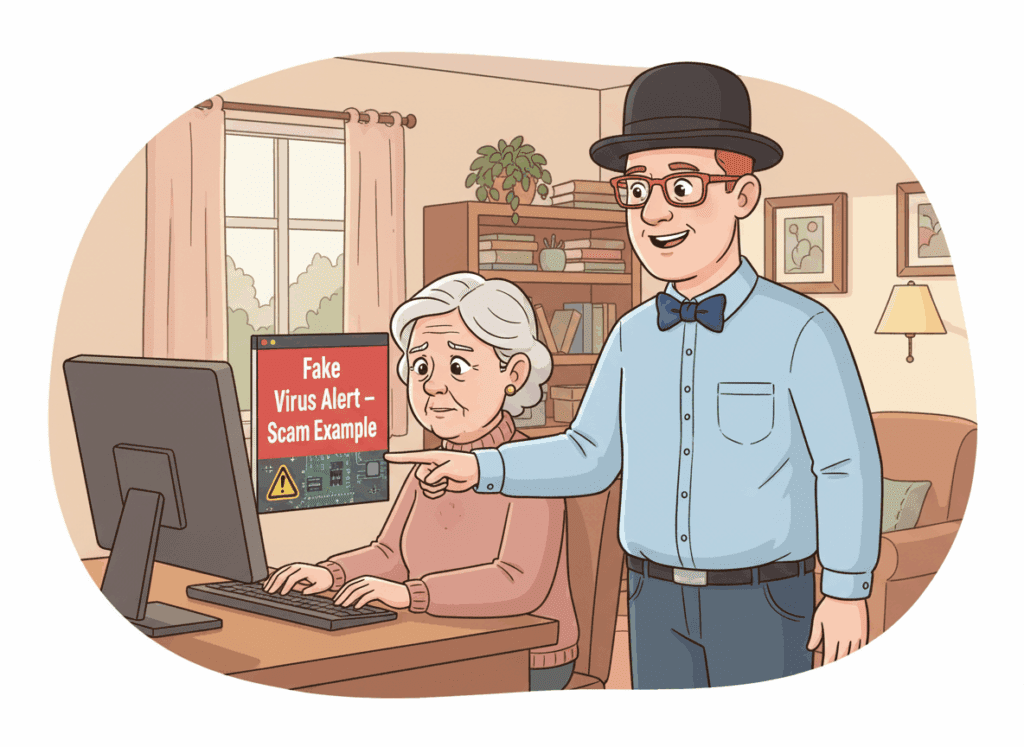
Fake Virus Pop-Ups in Lethbridge: How to Tell It’s a Scam (and What to Do Next)
If you’ve ever had your screen suddenly scream “Your computer is infected!” and demand you call a phone number,you’re not alone. I see these fake virus pop-ups regularly with home users and seniors across Lethbridge — and the goal is always the same: panic you into giving a scammer remote access or money.
How to Spot Fake Microsoft Pop‑Ups (Examples from Lethbridge Clients)
Have you ever seen a scary pop‑up claiming “Your computer is infected! Call this number immediately”? If so, you’re not alone. These fake Microsoft and tech‑support warnings are a common scam in Lethbridge, and they catch far too many people off‑guard—especially seniors and home users. [Read more…]
Slow Laptop? 5 Reasons It Happens and How Lethbridge Users Can Fix It
If your laptop feels like it’s running through molasses—taking forever to start, freezing at random, or struggling with simple tasks—you’re not alone.
Slow laptops are one of the most common issues I see for home users and seniors in Lethbridge.
The good news? Most slowdowns have simple causes. In this article, I’ll walk you through the five most common reasons laptops slow down and what you can try at home.
If you’d like help, I offer Computer Optimization & Maintenance in Lethbridge along with full Computer Cleaning & Tune-Ups. [Read more…]
Why Your Computer Is Slowing Down (Lethbridge Home User Guide)
Is your computer taking forever to start, freezing at the worst possible time, or struggling to keep up with simple tasks like email and web browsing?
If you live in Lethbridge and your computer feels slower than it used to, you’re not alone. A slow computer is one of the most common reasons people contact me at Y-Not Tech Services.
In this guide, I’ll walk through the most common reasons your computer might be slowing down, what you can try on your own, and when it’s time to call in a local technician.
If you’d like direct help, you can also visit my Lethbridge Computer Repair page for more information.
Reason #1: Too Many Programs Starting with Windows
Over time, many programs quietly add themselves to your “startup” list so they launch every time your computer turns on. Each one uses a little bit of memory and processing power.
Eventually, your computer spends more time loading background apps than getting ready for you to use.
Common signs of too many startup programs include:
- Very slow startup (you turn it on and wait… and wait…)
- Desktop icons appear, but the computer isn’t “ready” for several minutes
- Programs feel sluggish right after starting the computer
Part of a proper tune-up is reviewing what launches with Windows and turning off anything you don’t actually need. If your computer has never had this done, a Computer Cleaning & Tune-Up in Lethbridge can make a big difference.
Reason #2: Old or Failing Hard Drive
If your computer is more than a few years old, there’s a good chance it has an older spinning hard drive (HDD) instead of a modern solid state drive (SSD). Spinning hard drives slow down over time and are more likely to fail.
Signs your hard drive might be the problem:
- Computer takes a very long time to start up
- Programs hang or “Not Responding” appears often
- You hear clicking or grinding sounds from the computer
- Sometimes it works fine, other times it’s painfully slow
If your hard drive is failing, it’s important to act before it stops working altogether. Upgrading to an SSD can dramatically improve speed and extend the life of your computer.
I offer SSD upgrade services that include moving your data and programs for you. You can read more about that on my
Upgrade to Solid State Drive (SSD) service page.
Reason #3: Dust, Overheating, and Poor Airflow
Inside your computer or laptop are fans and vents designed to keep things cool. When dust builds up, the system can’t breathe properly. The computer heats up, and modern processors will slow themselves down to avoid damage. That slowdown shows up as a sluggish machine for you.
Common overheating clues:
- The computer or laptop feels very hot to the touch
- The fan is loud most of the time
- The computer shuts down or restarts unexpectedly
- Performance gets worse the longer it’s on
A professional cleaning and tune-up can clear dust, check fans, and make sure the system can cool itself properly again. If you’re in Lethbridge, I offer
Computer Cleaning & Tune-Up services to help your computer run cooler and faster.
Reason #4: Malware, Scam Pop-Ups, and Unwanted Programs
Not every slow computer has a virus, but malware and unwanted software are very common reasons for poor performance. Fake “Microsoft” pop-ups, browser hijacks, and scam tools can run in the background, using up resources and making everything feel slower and less safe.
Things to watch for:
- Pop-ups claiming your computer is infected and telling you to call a number
- Your home page or search engine changed without your permission
- New icons, toolbars, or programs you don’t recognize
- Constant “cleaner” or “optimizer” programs nagging you to pay money
Trying random “cleaner” tools can sometimes make things worse. If you suspect an infection or have been hit by a scam pop-up, it’s safer to have a professional look at it. I offer Virus & Malware Removal in Lethbridge, including checking that your computer is safe for banking and email again.
Reason #5: Your Computer Is Just Getting Old
Even with upgrades and tune-ups, there comes a point where a computer is simply too old to keep up with modern software. This doesn’t mean you did anything wrong—it’s just the normal lifespan of technology.
Signs your computer might be at (or near) end-of-life:
- It’s more than 7–8 years old
- It can’t update to the latest version of Windows
- Basic tasks like web browsing, email, or video calls are always a struggle
- Repairs are starting to cost more than the computer is worth
If you’re not sure whether it’s worth fixing or replacing, I can help you make that decision in plain language—no pressure. You can start with my Lethbridge Computer Repair or Lethbridge Laptop Repair pages to see what options are available.
What You Can Try at Home
There are a few safe things you can try before calling in help:
- Restart your computer (a full restart, not just sleep)
- Close programs you’re not using, especially web browsers with many tabs
- Uninstall programs you know you no longer need
- Make sure Windows Updates have been installed
If you’re comfortable, you can also look at your startup programs and turn off anything unnecessary—but if that feels overwhelming, that’s exactly the kind of thing I handle during a Computer Cleaning & Tune-Up.
When It’s Time to Call a Local Technician
It’s a good idea to get professional help if:
- The computer is getting slower over time, not just some days
- You see scam pop-ups or think you might have clicked on something suspicious
- There are strange noises (clicking or grinding)
- You’re worried about losing family photos, documents, or important files
- You’d rather have someone else deal with it so you can stop fighting your computer
As a local Lethbridge technician, I offer both onsite and remote support options. You can see an overview of what I do on my Lethbridge Computer Repair page or, for laptops specifically, my Lethbridge Laptop Repair page.
How Y-Not Tech Services Can Help
I work with seniors, families, and home users across Lethbridge to keep their computers running smoothly and safely. Depending on what’s slowing things down, I can:
- Perform a full Computer Cleaning & Tune-Up
- Remove viruses, malware, and scam software with my Virus & Malware Removal service
- Upgrade your system to a faster SSD (SSD Upgrade Service)
- Fix hardware problems or help you plan a replacement computer if it’s time
All services are by appointment only, since I’m often helping clients onsite. You can see my hours on the Hours of Operation page, or go straight to booking.
Ready to Stop Fighting a Slow Computer?
If your computer is slowing you down, you don’t have to put up with it. Whether it needs a tune-up, a cleanup, an upgrade, or just a bit of attention, I’m here to help.
You can:
- Visit my Lethbridge Computer Repair page
- Check out Computer Cleaning & Tune-Up options
- Learn about Virus & Malware Removal if you suspect a scam or infection
- Use the online booking page to schedule an appointment
If you’re not sure where to start, you can always call or text 403-915-8574 or send a message through my Contact page. I’ll help you figure out the next best step for your situation.
Computer Repair Lethbridge AB | Local Laptop & PC Repair | Y-Not Tech
When your computer starts acting up, everything slows down—your work, your daily tasks, even your peace of mind. Whether it’s a slow laptop, a mysterious error message, or a computer that refuses to turn on, one thing’s certain: you need help you can trust. Searching for ‘computer repair near me’ in Lethbridge? We’re locally owned and just a phone call away.
If you’re looking for computer repair in Lethbridge, AB, you’re in the right place. At Y-Not Tech Services, we help Lethbridge residents fix problems fast, prevent them from coming back, and feel confident using their devices again. [Read more…]